
The challenge
Fen Farm Dairy is a UK farm selling fresh dairy products online. Fresh food can't sit in a warehouse waiting to ship, so every order has to go out on a day the team can actually pack and dispatch it.
Customers needed to choose their dispatch date before checkout. The dates had to reflect real capacity, meaning a day should close once it's full. The team also needed each order clearly marked with its date so packing could be planned without digging through order notes. On top of that, the store runs a subscription club, so pricing and date logic had to work for both one-off and subscription purchases.
What I built
A date picker in the cart and on product pages
Shoppers can pick a dispatch date from a calendar in the cart or on the product page. The cart version works inside the AJAX cart drawer, which re-renders whenever items change. I used a MutationObserver to watch for those updates and reattach the calendar each time, so the picker never disappears or loses the chosen date.
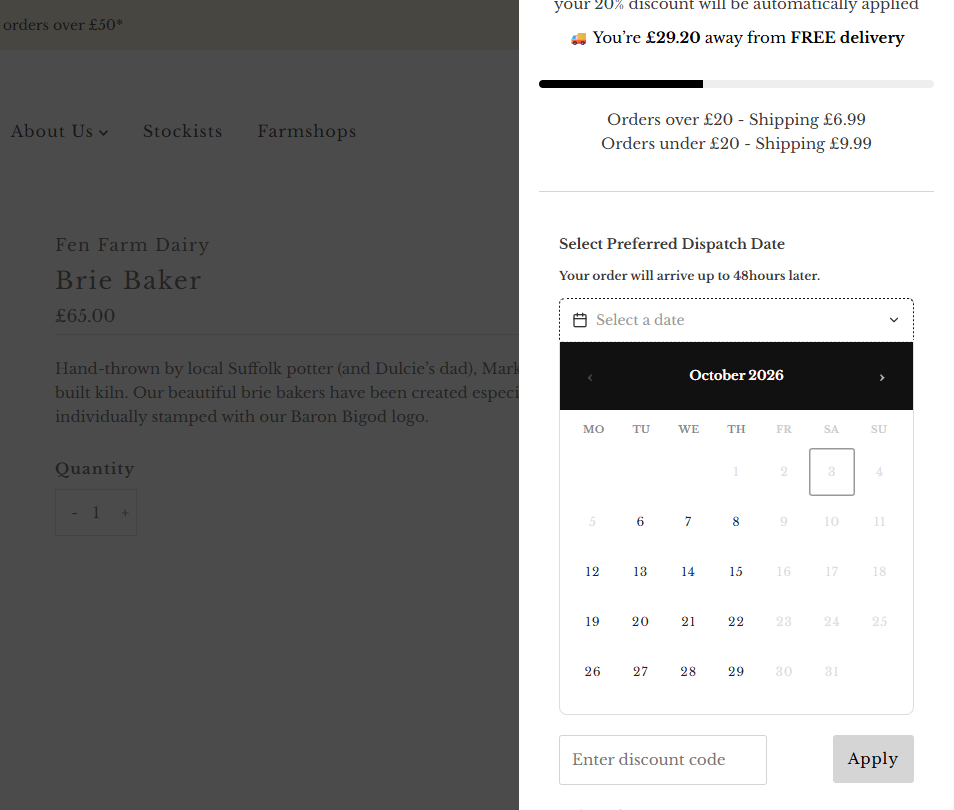
The earliest date on offer depends on the day the order is placed, because dispatch runs Monday to Thursday and the team needs lead time to pack. Pick a row to load it into the demo above.
Shoppers can book up to six weeks ahead.
Slot management that tracks capacity
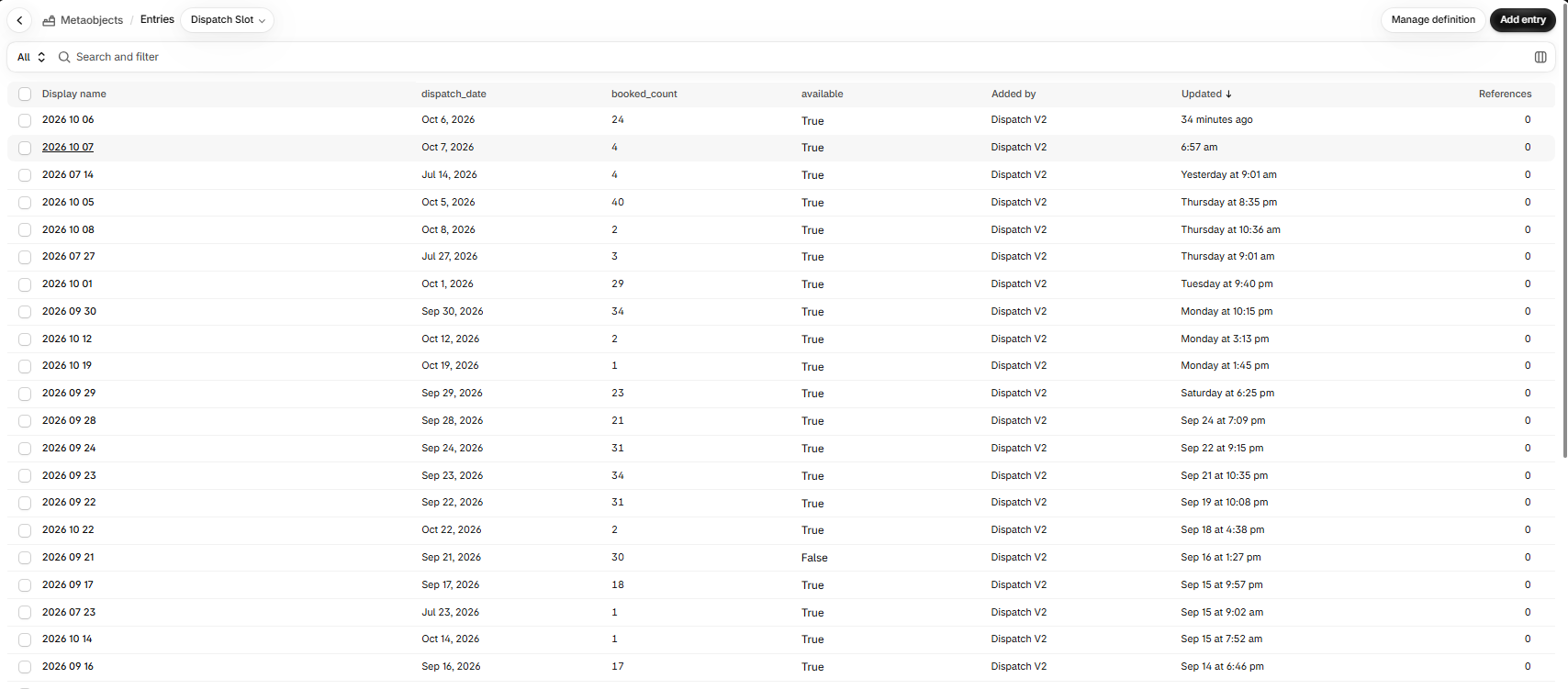
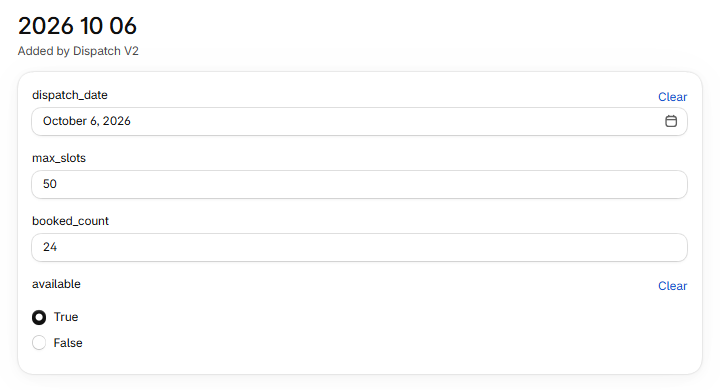
Each dispatch day is stored as a Shopify Metaobject with its own slot count. When an order comes in, a Shopify webhook calls a Cloudflare Worker, which updates the slot for that day and creates new entries automatically when needed. Once a day fills up, it's no longer offered to shoppers. The team can see and adjust slots from the Shopify admin, with no separate database or server to maintain.
Automatic order tagging
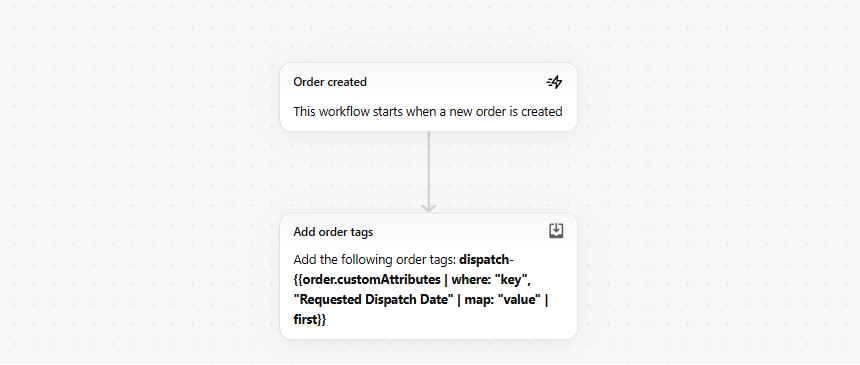
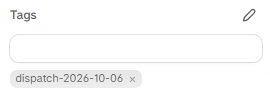
Shopify Flow tags every order with its dispatch date, so the packing team can filter and plan by day straight from the orders screen.

Updated confirmation emails
Order confirmation emails now show the chosen dispatch date, so customers know exactly when to expect their delivery and don't need to contact support to check.
Subscription-aware pricing
The store uses Appstle for its subscription club, which offers members 20% off. I updated the product page so the displayed price changes instantly when a shopper switches between one-off and subscription options. In the cart, I built Liquid logic for member discount display, subscription items, and tag-based exclusions for products that shouldn't be discounted, tested across both live and draft themes.
Illustrative products and prices. The 20% member discount and the tag-based exclusion are how the store behaves.
The result
The dairy now only takes orders it can fulfil. Shoppers pick a real dispatch date in a couple of clicks, full days close on their own, and every order arrives in the admin already tagged for packing. The whole system runs on Shopify's native features plus a lightweight Cloudflare Worker, so there are no extra app fees and nothing heavy to maintain.